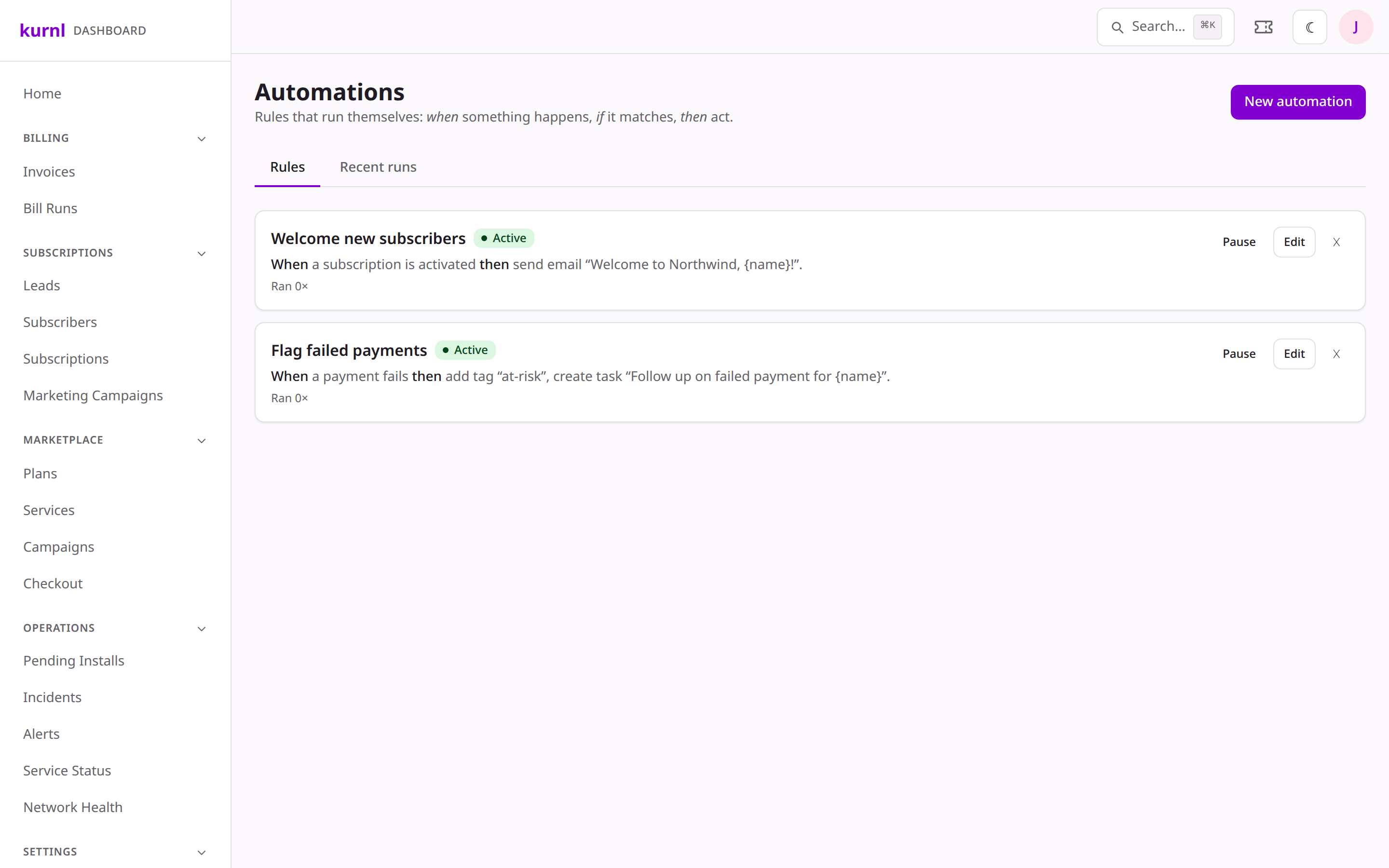
Go to Automations. Each rule lists its trigger, its action, and whether
it’s enabled.
Automation rules
2
Pick a trigger
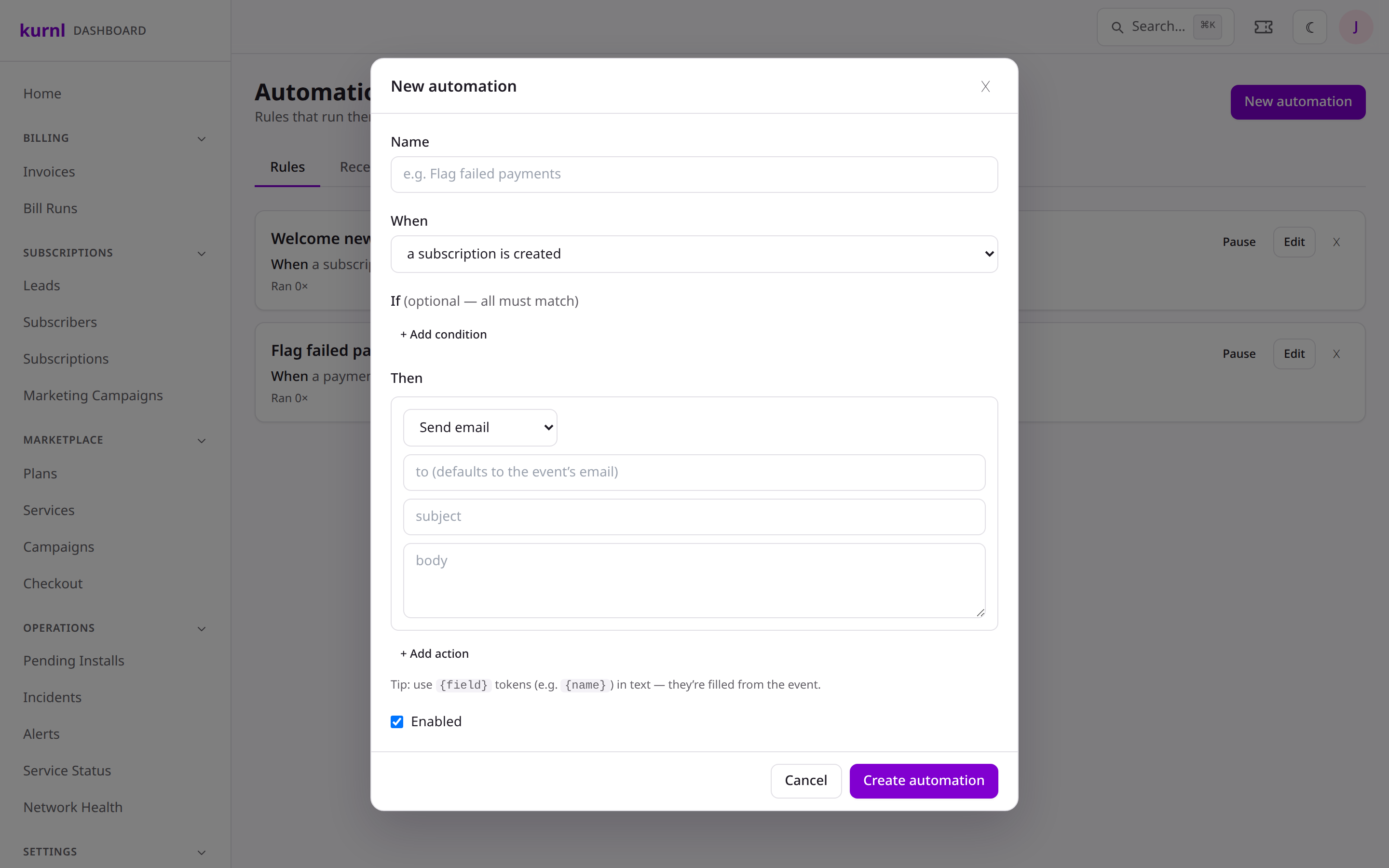
Choose the event that starts the rule — for example a payment failed, a
subscription activated, an install completed, or an SLA warning /
breach on a ticket.
Choosing a trigger and action
3
Pick an action
Then the action — send an email, add a tag, open a ticket, or call a
webhook into your own systems. Enable the rule and it runs on every
matching event from then on.
Webhook actions stay inert until you configure the endpoint, so a half-built
rule can’t misfire. Combine automations with
branded emails for on-brand follow-ups.